
Dilinka is Trinera’s internal tool for automated digitization. From scans, the catalogue record and capture details it prepares a standardized NDK package that can be imported into Kramerius and stored in a long-term archive.
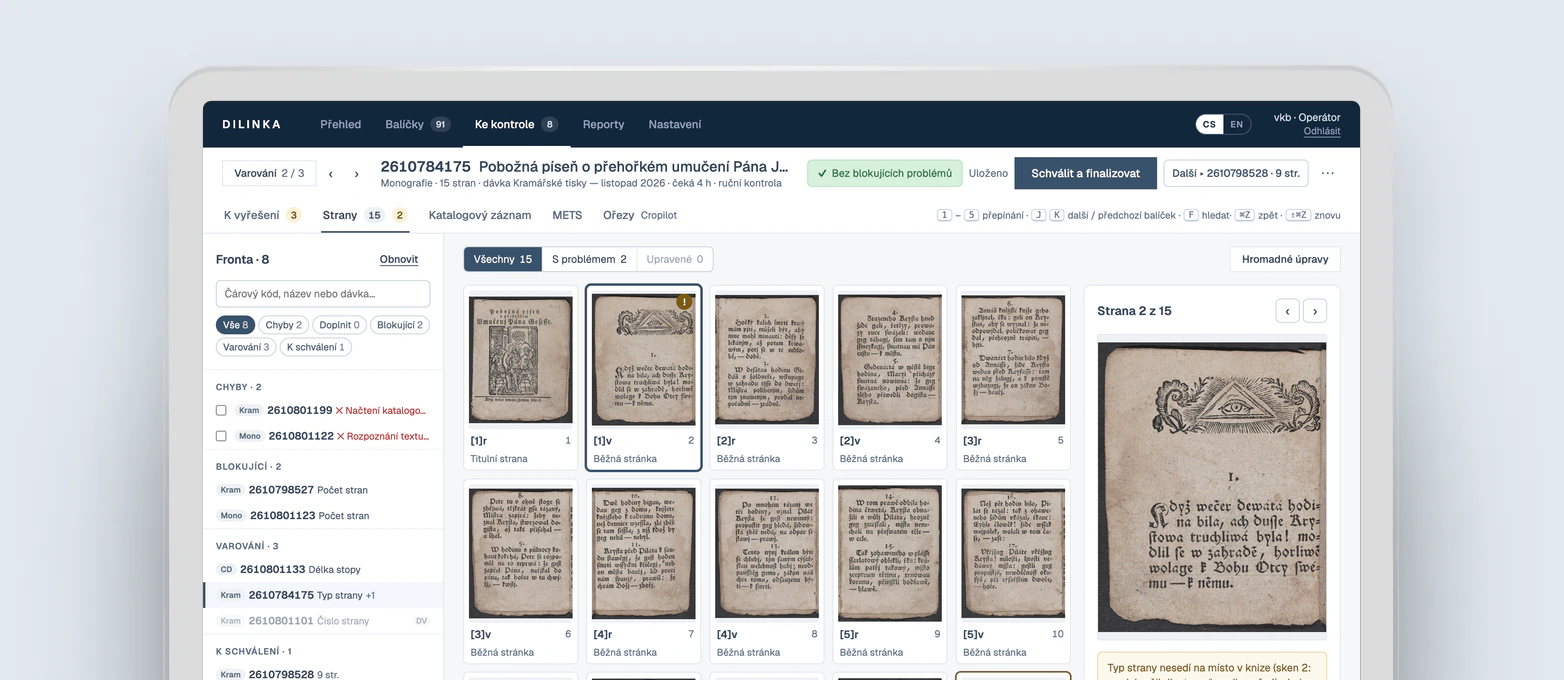
What Dilinka takes care of
Dilinka typically runs the whole chain of steps that would otherwise require manual work in several different tools:
- input data checks,
- scan cropping with Cropilot,
- image conversion to JPEG2000,
- OCR,
- checking the physical extent of the document,
- MARC to MODS conversion,
- creating technical and descriptive metadata,
- registration in ČIDLO.
Dilinka also checks the Digitization Registry and warns you if the same title has already been digitized by someone else. Unnecessary work is caught before it starts.
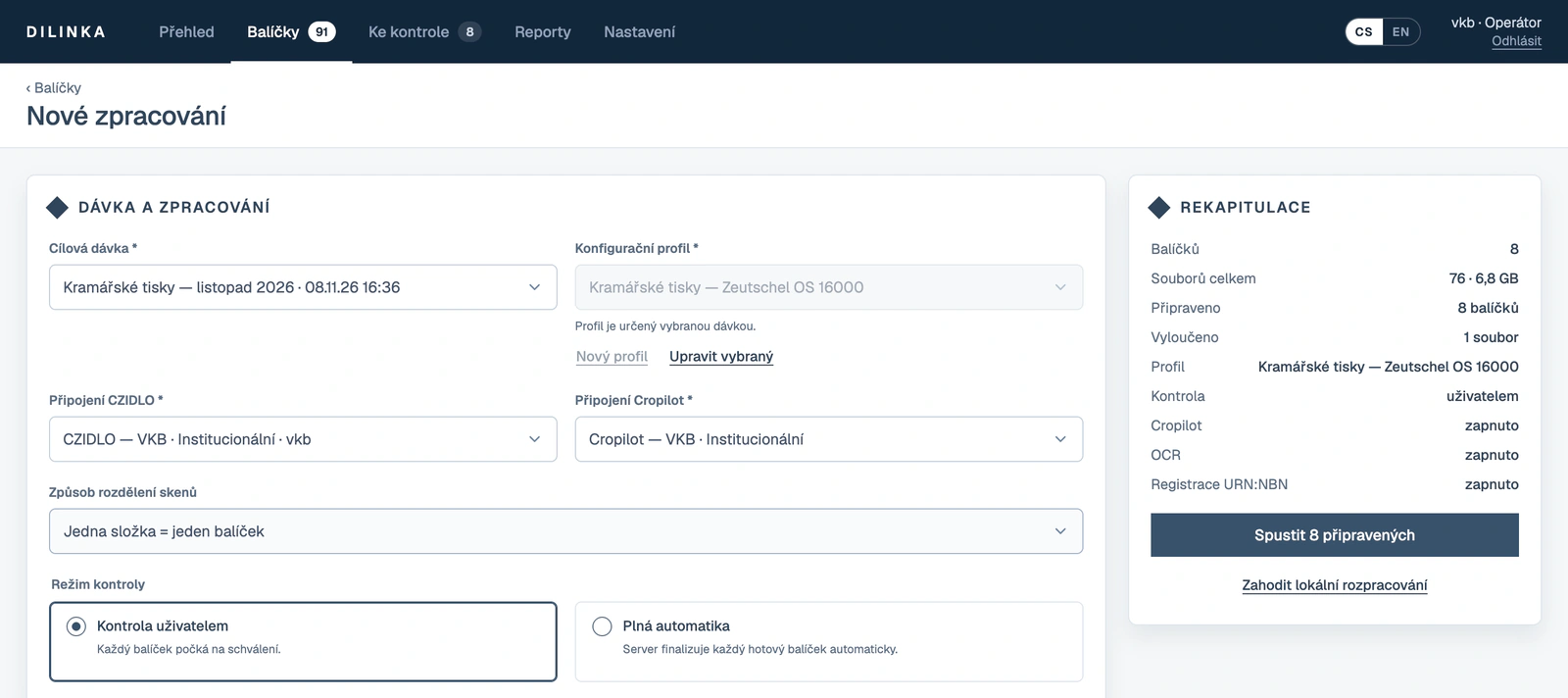
People only at key points
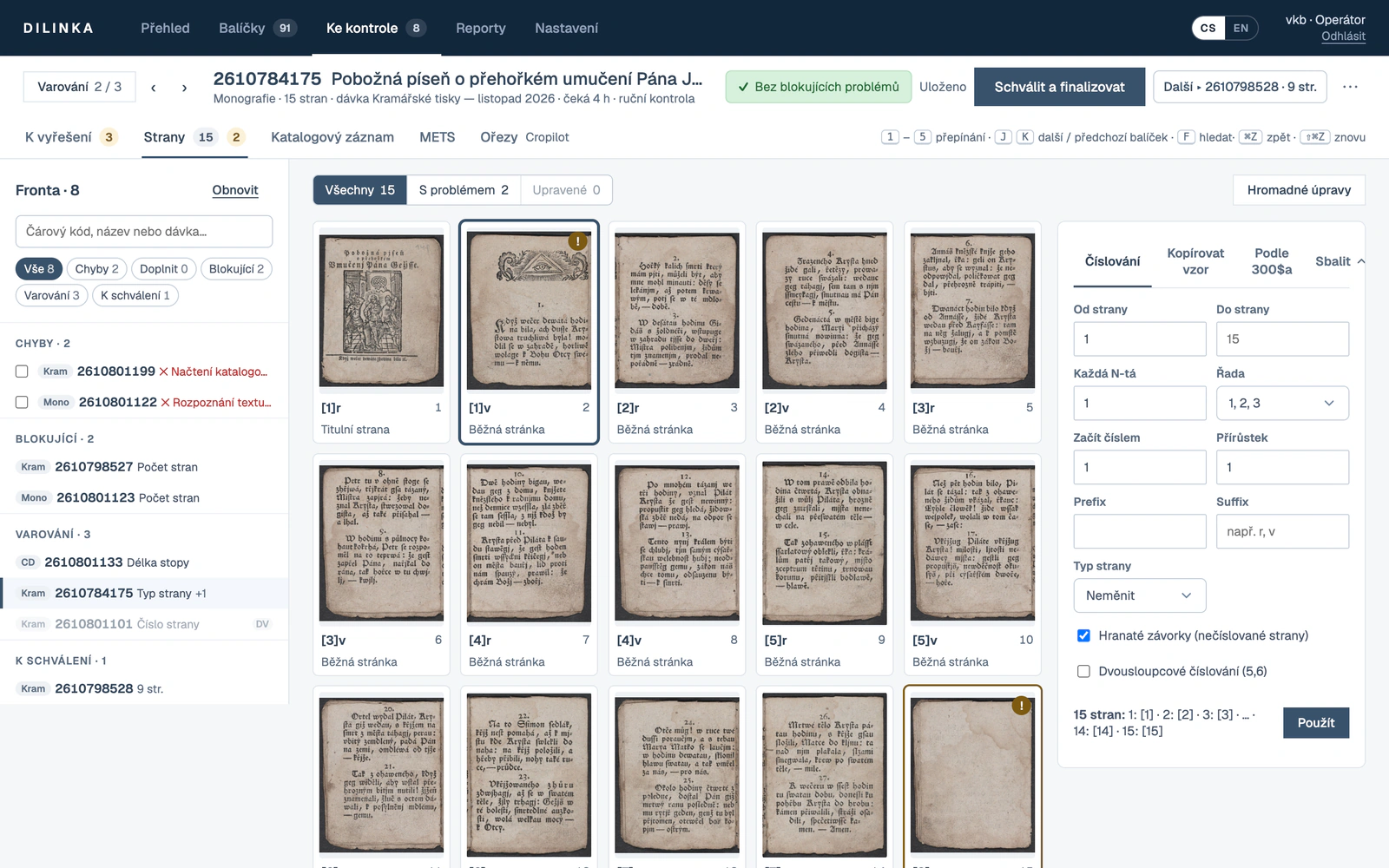
Dilinka processes a batch from start to finish on its own. People step in only where a key decision is needed: they go through the warnings Dilinka flags and approve the finished package. When needed, they can choose the standard version, manually adjust crops, page numbering and page labels, browse pages in a zoomable viewer and compare MODS metadata with the original MARC record.
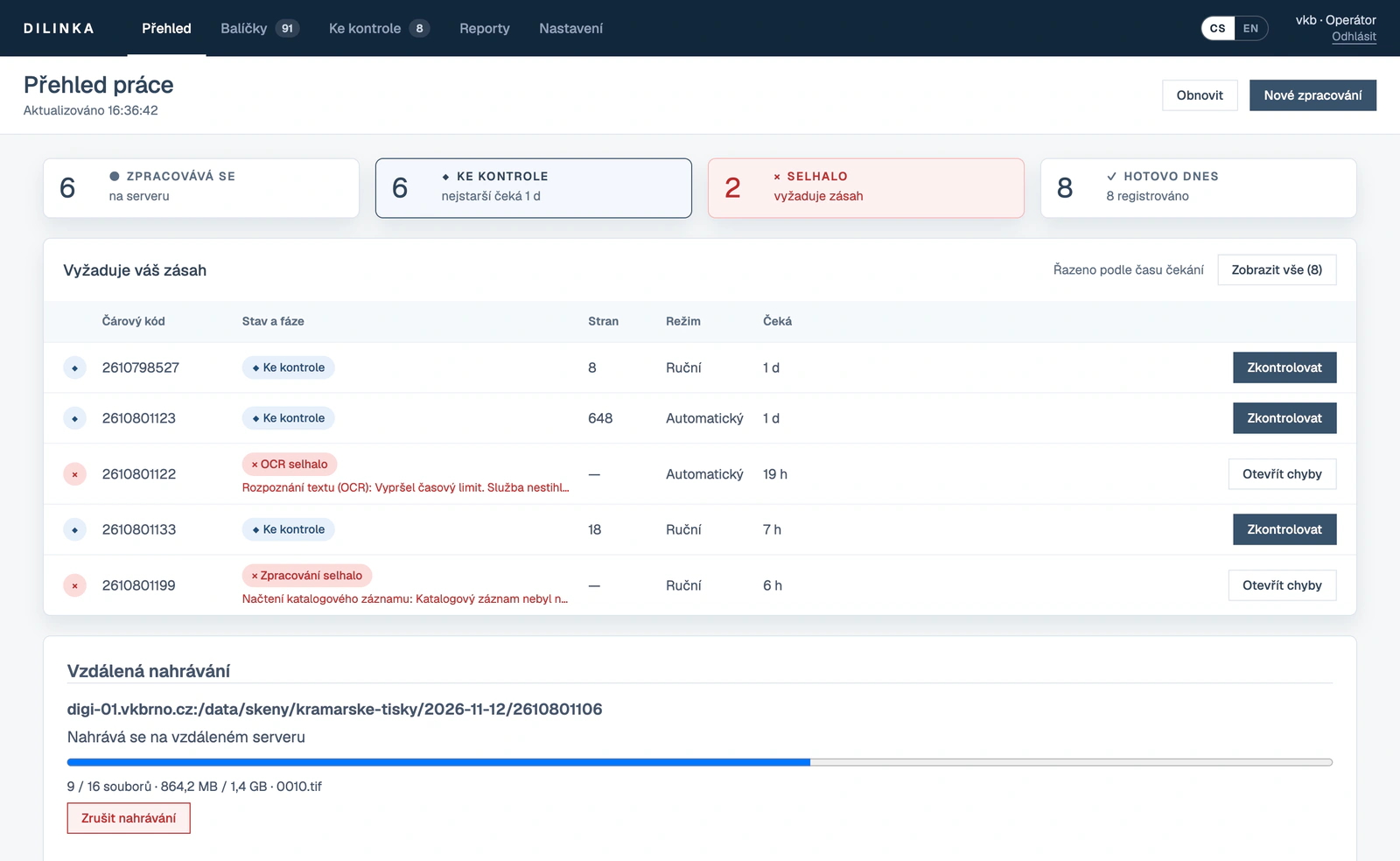
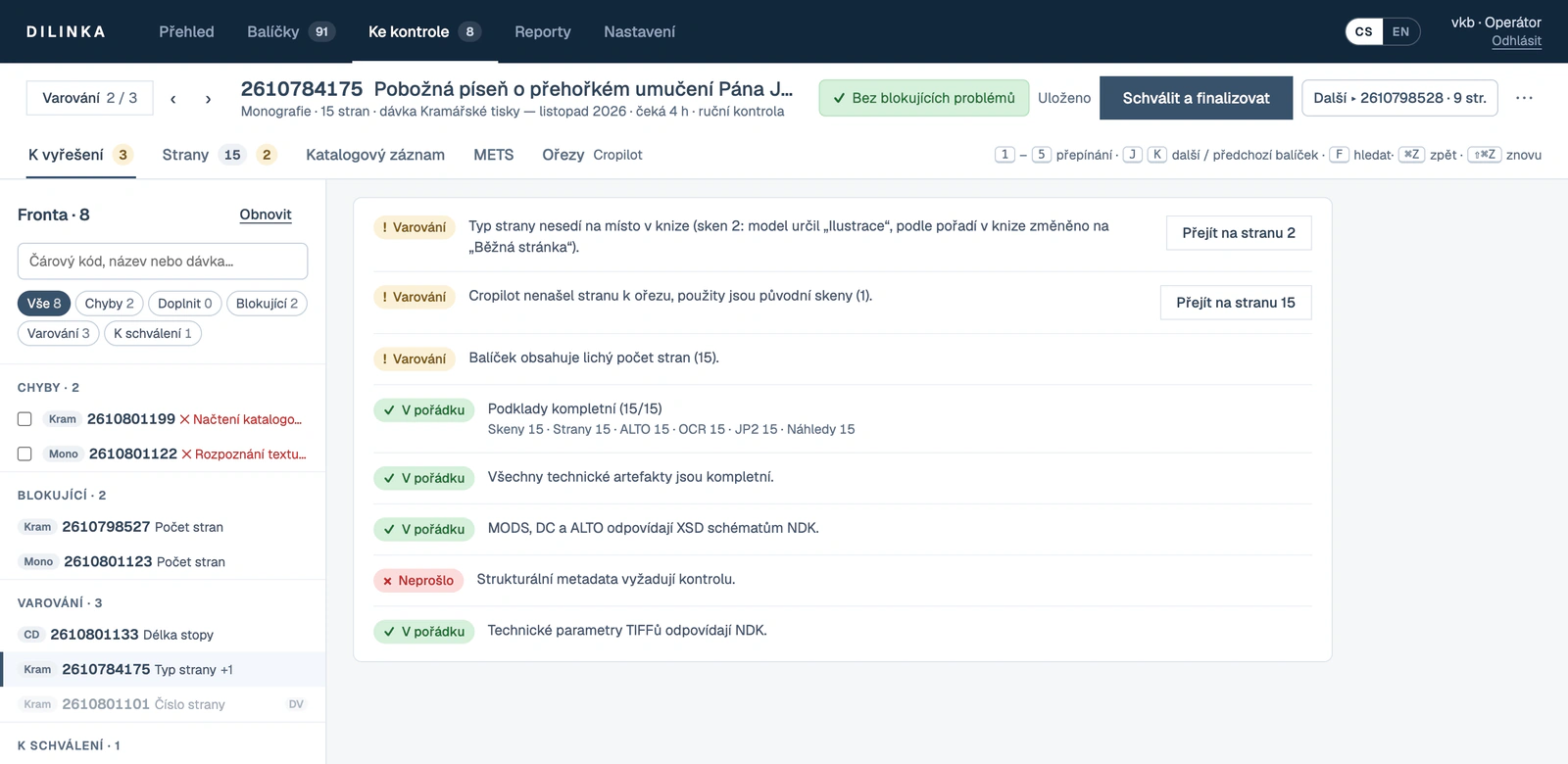
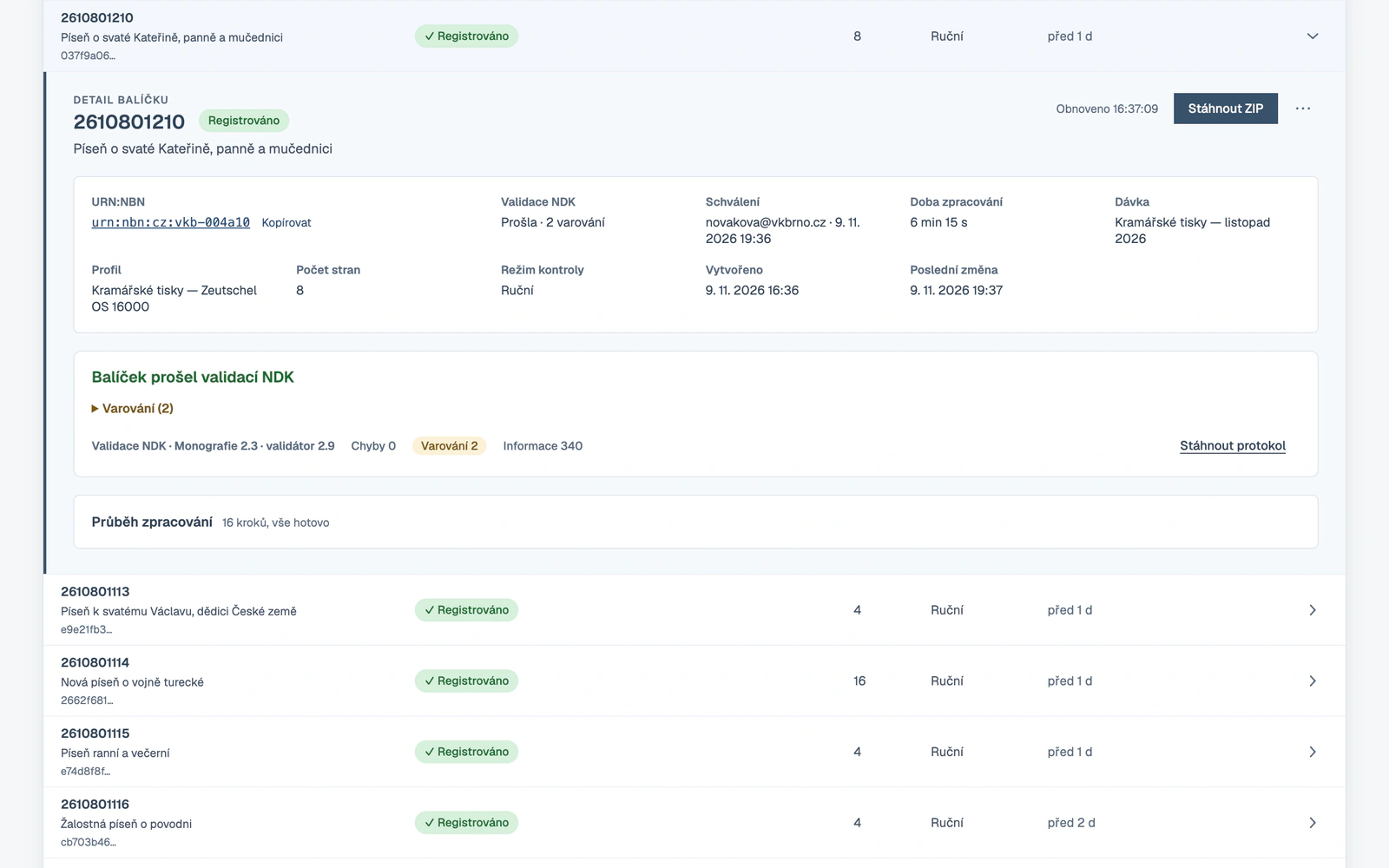
Once finished, the package is automatically checked by the NDK validator. If it is valid, it is registered in ČIDLO. Clear reports show which packages passed, which did not, at which step and why processing failed.
More than page images
An NDK package contains more than images of individual pages. It also includes metadata and links that describe the document, its structure, the individual files and their technical properties:
- MODS carries bibliographic metadata,
- METS links descriptive, administrative and structural metadata to specific files,
- ALTO stores OCR output including the layout of text on the page.
Structural metadata — page types and order, the division of the document and the relationships between its parts — has historically meant the most manual work. Dilinka creates it automatically.
Books, periodicals and sound recordings
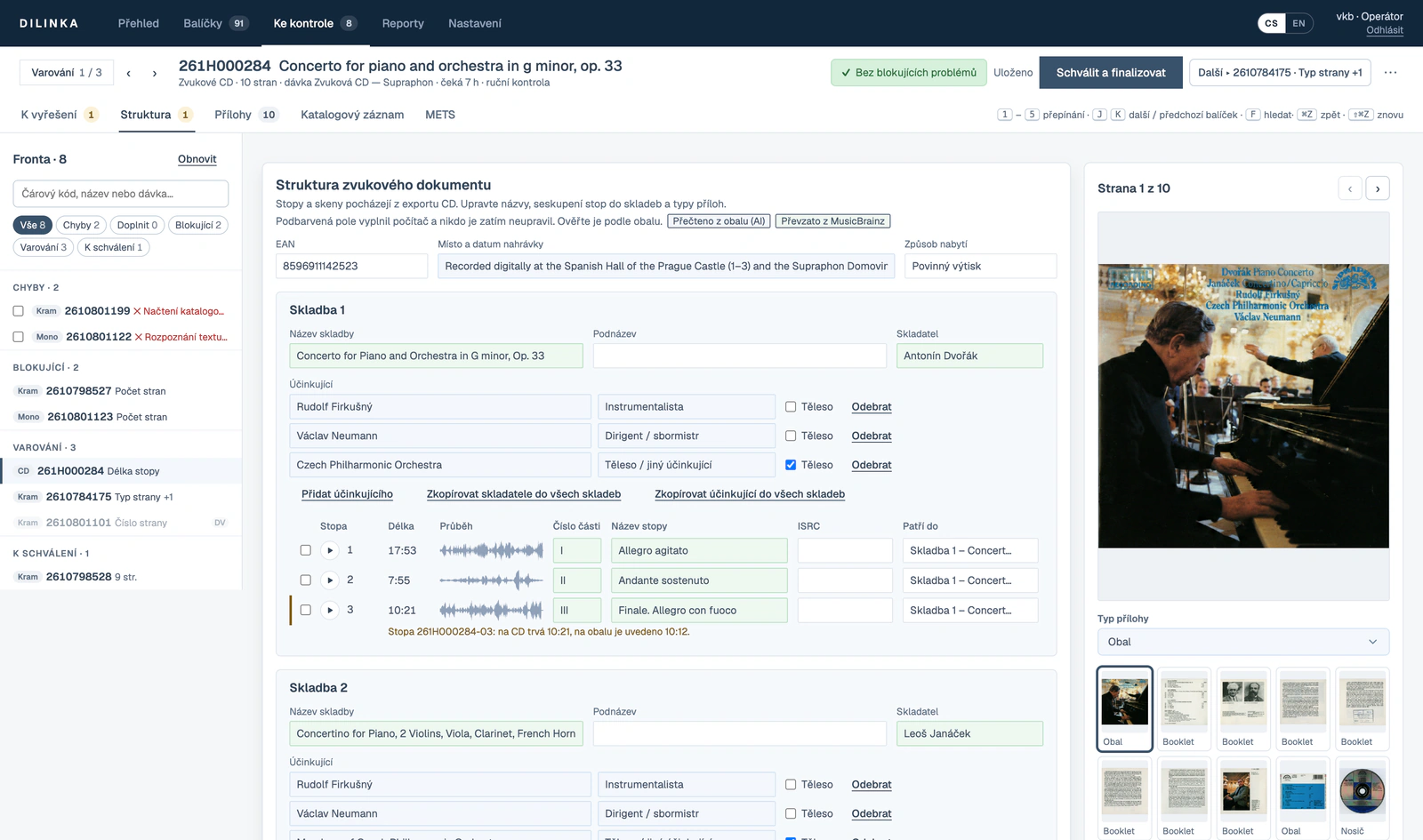
Dilinka can digitize not only monographs but also periodicals and sound recordings on CD. For audio documents it loads the tracks and the scans of the cover and booklet, prefills track titles, composers and performers, and warns when a track length does not match the information on the cover. A person then only approves the result.
Proven on Kramář prints
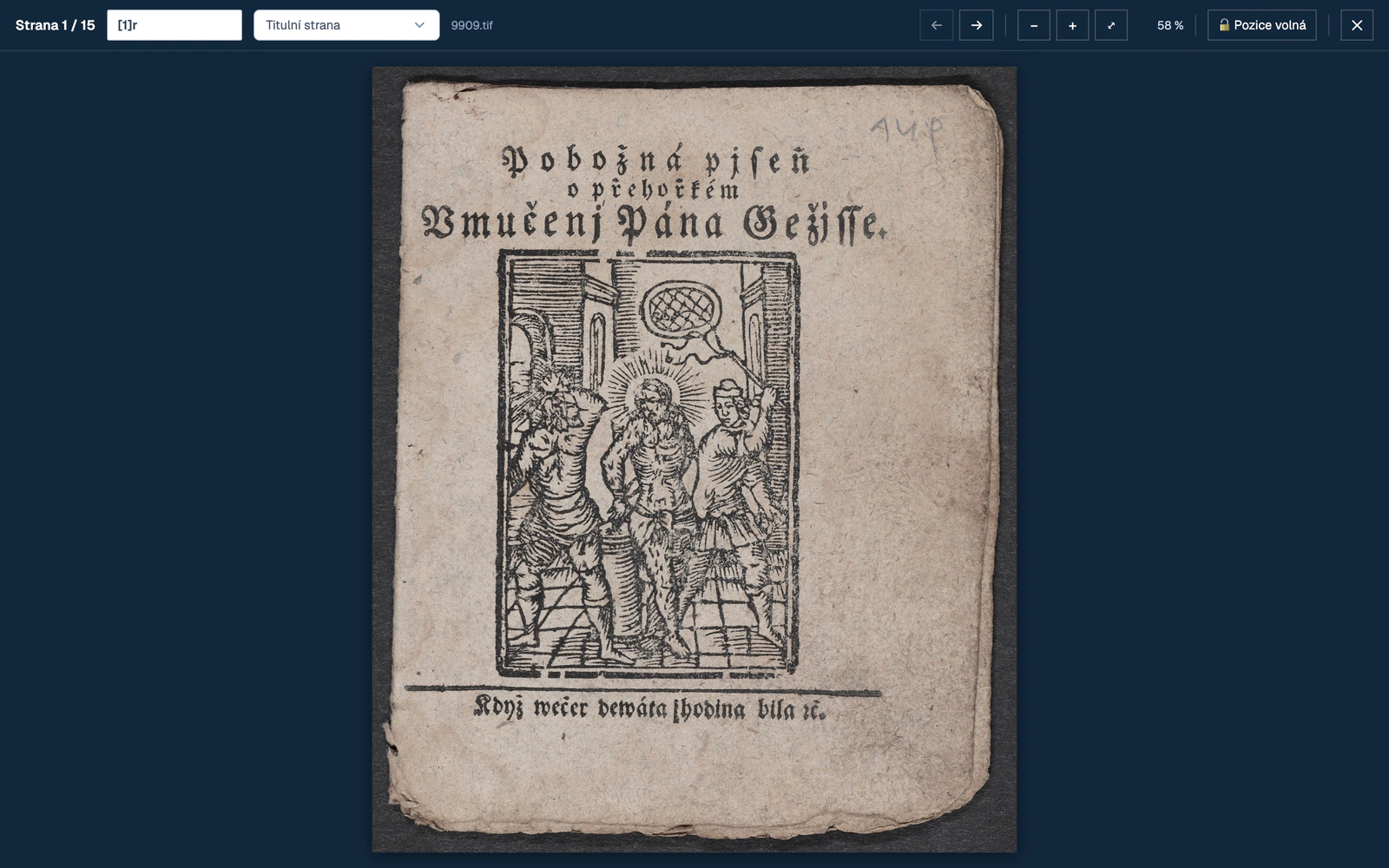
Dilinka started as a set of scripts for batch processing of Kramář prints (broadside ballads) on the servers of the Moravian Library. This specific collection was used to verify how automatic cropping, structural metadata, OCR and standardized output work together.
Historical documents differ from today’s scans in the nature of the data and in how they are cropped. A model trained on ordinary data was therefore not directly usable. We added the option to prepare custom training data in the Cropilot editor, correct it manually and train a separate model from it. The model can be stored in a shared model bank and used in further processing.
Cropilot as part of the line
Cropilot handles scan cropping in Dilinka. Its model determines the number, position and rotation of pages from the image, and the result can be reviewed and adjusted in the editing interface. Cropilot is designed to fit into larger processes: it uses an asynchronous task queue, supports deployment in Kubernetes and horizontal scaling, and offers an integration API for connecting to the NDK line.
On the server, in the cloud and on the desktop
Dilinka can process batches on the server, remotely in the cloud and in a desktop application. Page types are recognized automatically by a trained model, and users can change the automatically assigned type at any time.